Essay
The Curiosity That Is Minecraft: Pi Edition
- 1713 words
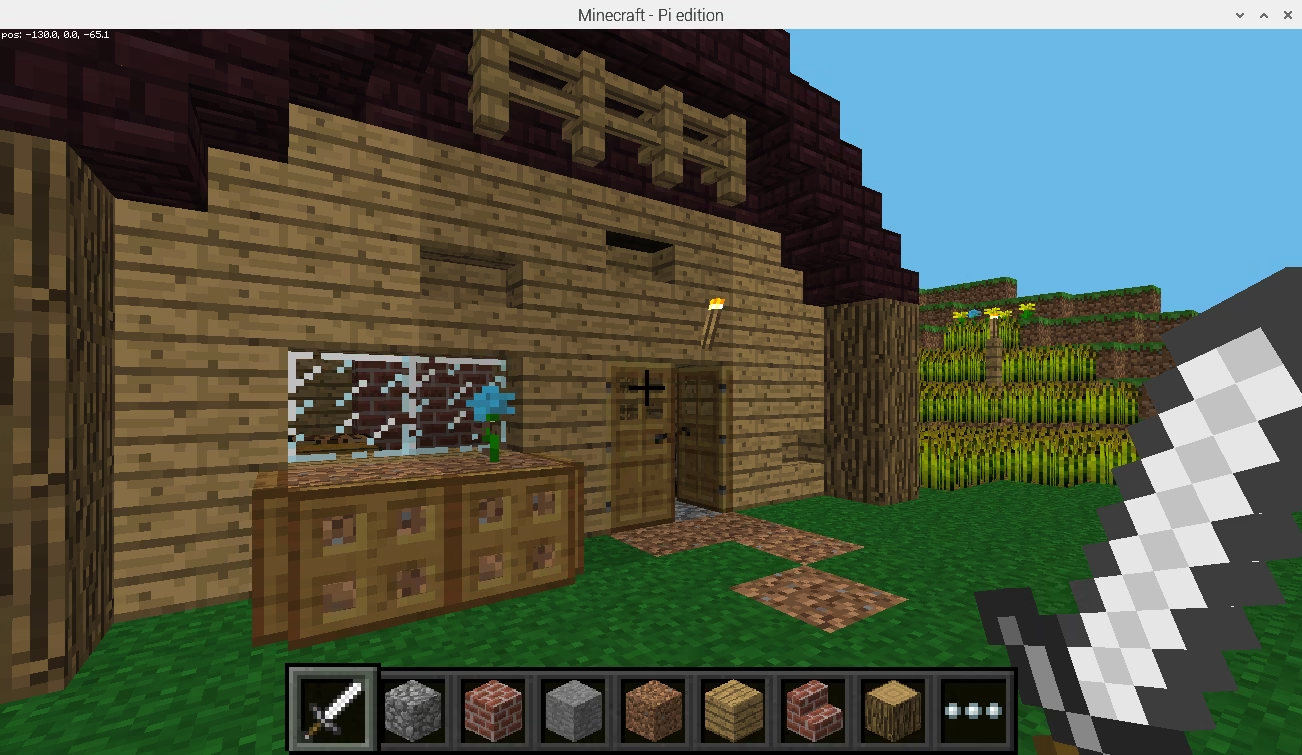
Minecraft: Pi Edition is a modified port of the game Minecraft to the Raspberry Pi, a hobbyist single-board computer. It is a bit of an oddity, because it differs greatly from other editions of Minecraft, is completely free, saw only fleeting support from Minecraft’s developer Mojang, and is obscure, despite being a port of the best-selling game of all time.
History
Minecraft was originally developed in Java for desktop operating systems. As the game grew in popularity, demand grew for it to appear on more platforms. In August 2011 the first port of the game, Minecraft: Pocket Edition (MC:PE), released on the Xperia Play. In October the game came to wider Android, and in November it came to iOS.
To run on mobile phones of the time, the Pocket Edition was written in C++, rather than Java, and was severely cut down and optimised. For context, the most recent flagship Samsung phone at the time of MC:PE’s release was the Samsung Galaxy S II, and the most recent iPhone was the iPhone 4s. The Pocket Edition was far behind the Java Edition in features, something that hasn’t changed years on, with many parity issues remaining unaddressed, even now that Minecraft Bedrock Edition, which evolved from Pocket Edition, is the main and predominant version of the game.
In November 2012, Mojang announced Minecraft was coming to the Raspberry Pi with development being led by Aron Nieminen and Daniel Frisk.
On December 20th, Mojang accidentally published the announcement blog post on the Minecraft: Pi Edition blog before quickly retracting it. However, when they published the announcement blog post officially upon release of the game, the post retained the initial, incorrect publish date.
On December 26th, the game leaked online after it was accidentally uploaded unencrypted on Mojang’s repository, before being encrypted shortly thereafter. Daniel said of the leak, ‘I don’t mind if people use the leaked build, but be aware that it’s pre-alpha quality.’. The leaked version identified itself as ‘0.1.0 alpha’ and was based upon Pocket Edition v0.5.0 alpha.
Minecraft: Pi Edition released officially on February 11th, 2013. This initial version, v0.1.1 alpha, was the only version released. In January 2016, it was stated by then Mojang Developer Tommaso Checchi in a thread on Reddit regarding the status of the Pi Edition that:
It ded :(
The original team has stopped supporting it and starting with 0.9 MCPE became a lot more ambitious technically, which also means that it became a lot harder to strip down to run on a Raspberry Pi. Actually, we finished removing all Pi related code to reduce complexity in 2015.
Maybe someday we’ll revisit it but I wouldn’t hold my breath :P
In September 2014 Raspbian (now called ‘Raspberry Pi OS’) was updated to include Minecraft Pi. It remained pre-installed until August 2021, when the operating system updated to using Debian Bullseye as a base and Minecraft Pi became incompatible.
Functionality
The Pi Edition is not a ‘game’ in the same way that other versions of Minecraft are. It is designed to be hacked upon via its API, so out of the box there are a number of changes from Pocket Edition v0.6.1 alpha (on which Minecraft: Pi Edition is based). These are:
- Survival mode is stripped. You cannot join survival mode servers or set your own game mode to survival.
- The player is always called ‘StevePi’.
- Signs are always blank and cannot be edited.
- There is no audio (though a mute button still appears in the menu).
- The interface uses the Xperia Play design, rather than the standard touch interface.
- You can’t select a world’s seed or name. All worlds have the name ‘world’.
- The world is always visible via LAN.
- Mobs are disabled.
- Chests, Crafting Tables, Furnaces, TNT, and the Nether Reactor Core are all non-functional.
- Fancy graphics are disabled.
- The bow doesn’t function. It can be drawn, but it doesn’t shoot arrows and will remain drawn until switched from.
- Saplings and wheat seeds do not grow unless bone meal is applied.
- Fire doesn’t spread and is also invisible.
- Coordinates are shown in the top left corner.
- You can sneak, which was otherwise exclusive to the Xperia Play version of Pocket Edition until v0.12.1.
Most of these features remain in the game, just patched out. Some of these changes can be attributed to performance considerations. At the time of Pi Edition’s release, the most recent Raspberry Pi was the Raspberry Pi 1 Model A – a cheaper variant of the original Raspberry Pi with only 256MB of memory (even less than the iPhone 4). The Pi Edition has bespoke GPU code which explains some visual differences. It is because of this that screenshots of Pi Edition will appear blank, unless using a workaround such as raspi2png.
Only ‘Old’-style worlds can be generated. They’re 256 blocks wide on the X and Z axes, and 128 blocks high on the Z axis. Rainforest, Swampland, Seasonal Forest, Forest, Savannah, Shrubland, Taiga, Desert, Plains, Ice Desert, and Tundra biomes are all present in the game. However, the Savannah and Shrubland have no special generation and the Ice Desert does not generate naturally. Due to the small world size it is uncommon to have much, if any, variation of biomes within a world. The files for worlds themselves are located at ~/.minecraft/games/com.mojang/minecraftWorlds. They can be modified by the same means that are used to modify worlds in old versions of Pocket Edition.
API
Most of Pi Edition’s changes from Pocket Edition can be attributed to Pi Edition’s focus on hacking and experimenting. The edition was very much designed for people to dip their toes into development and to be used in educational contexts. There is a full API for interacting with Pi Edition with libraries for Python and Java bundled. The protocol specification is documented in a text file within the edition’s files. Curiously, despite the intent for users to hack on Pi Edition, debug symbols are stripped. This is particularly odd, as they weren’t stripped from Bedrock Edition until release version 1.13.0.
People have done all sorts of things using the API. Many of these efforts can be seen on the Minecraft: Pi Edition board of the Minecraft Forum. Some usages of the API I find most interesting are Dav Stott’s Ordnance Survey map viewer and the various experiments by Martin O’Hanlon. Zhuowei Zhang created a Bukkit plugin called RaspberryJuice, which implements the Pi Edition API on Java Edition, allowing scripts to be used across editions.
Textures
Minecraft: Pi Edition stores textures as PNG files within the data/images/ directory. In Raspberry Pi OS, this directory is located within /opt/minecraft-pi/, making the full path /opt/minecraft-pi/data/images/. Many textures are stored in spritesheets.
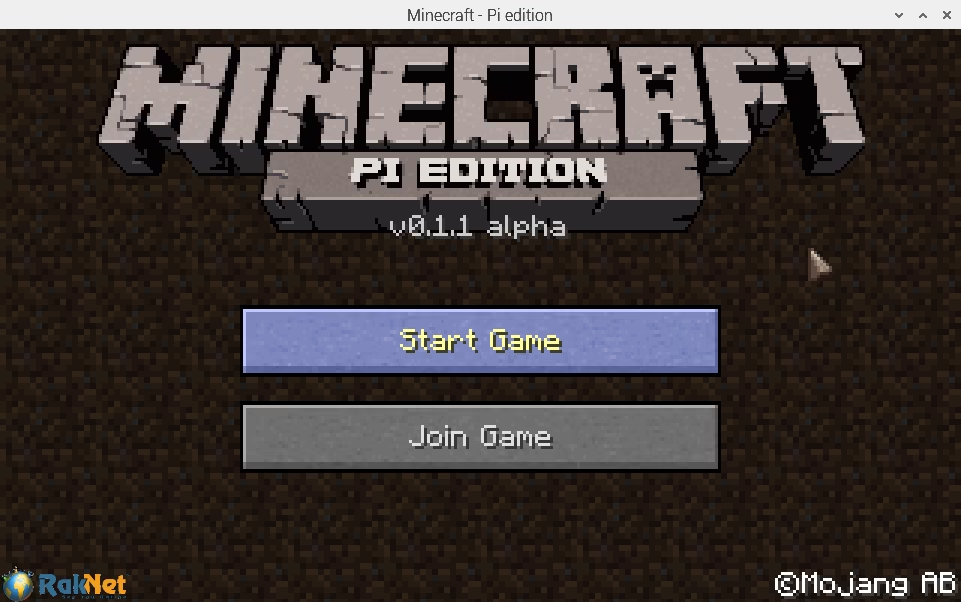
There are many textures which are carried across from Pocket Edition but which are unused. The relevant textures to modify are:
terrain.png- All block textures.particles.png- Particles, such as water droplets and potion effects.mob/- Contains the textures for mobs.char.pngis the player skin.art/kz.png- All paintings. Named ‘kz’ for Kristoffer Zetterstrand, who made the paintings.font/default8.png- The font used for the interface.environment/clouds.png- Clouds. Note that they’re only visible if you manually enable Fancy Graphics.gui/gui.png- The buttons used in the menu and the in-game hotbar. The rest of the buttons are unused.gui/touch_gui- Most unused, with the exception of the mute and third-person toggle buttons.gui/items.png- All item textures.gui/icons.png- The crosshair, health, armour, and breath interface elements. With the exception of the crosshair, these icons are unused due to being survival dependent.gui/pi_title.png- The logo used on the main menu.gui/default_world.png- Thumbnail used in the interface for all worlds.gui/gui_blocks.png- Unlike Java Edition and newer versions of Bedrock Edition, Pi Edition does not automatically generate the display of blocks within the user’s inventory. Instead, it uses a pre-generated spritesheet containing 3D representations of the blocks.gui/background.png&gui/bg32.png- Tiled for the menu backgrounds.gui/cursor.png- Mouse pointer.gui/logo/- Logos of RakNet, the C++ networking library used by Pi Edition. Appears in the bottom left corner of the main menu.
As they are just PNG files and not at all bespoke, they can be easily modified with image manipulation tools. Just ensure they’re saved as 32-bit PNGs, as otherwise they’ll appear corrupted.
Minecraft: Pi Edition has largely fallen into irrelevance in the many years since it released. With it no longer being supported on the modern releases of the very devices it was built for, it is firmly a footnote of the past. It can still be found on and downloaded from the Minecraft website; however, the original Pi-specific website that was at pi.minecraft.net is gone.
Outside of official support, a continuation and modernisation of Pi Edition titled Minecraft: Pi Edition: Reborn, or MCPI-Reborn, has been under development in various forms for years. It brings more modern features and assorted fixes, in addition to patching back in functionality, such as survival mode, that sits latent in Pi Edition’s codebase. The source code for many versions of the Legacy Console Editions and the Pocket Edition – including the version upon which Pi Edition is based – leaked in March 2026 and has been referenced by the modding community to make their mods even more impressive.