Memoir
The $25 MacBook Pro
- 1585 words
- –
Seeing a listing for a MacBook at the price of $25 AUD triggers a certain thought in the demented mind of a creature such as myself. Sure, the listing title might open with ‘FOR PARTS’ and the description might have the cursed words ‘crashes randomly and other odd behaviors’, but what has one got to lose from giving it a go? $25?
Full send it, I say. I went and picked it up locally, and the seller even threw in a pristine hardshell case. Lovely.
The Patient
The laptop is a 2020 13″ MacBook Pro. It is the model with two Thunderbolt 3 ports. 1.4GHz quad-core 8th‑generation Intel Core i5 with 8GB of RAM and 256GB of storage, purchased in August of 2020. Physically, it is in mint cosmetic condition without any dents or scratches.
Probing the seller as to the origins of the befallen, I got this morsel of knowledge:
Got this laptop from a friend. As for the screen, the ribbon connector failed within 2 weeks of them buying it, but got it fixed under warranty. Then it broke again a few years ago, and was given to me. The laptop also might have some motherboard issues, as it keeps crashing-restarting every ~30 mins, and saying it had a kernel panic. It’s in almost perfect cosmetic condition, though.
If the ribbon connector has failed, that could be the root of every problem. If it was shorting or otherwise failing to communicate, that would explain the random crashes.
The first port of call was seeing how it worked. I plugged it in, and sure enough it sprung to life. Neither the primary screen nor the Touch Bar displayed anything, but everything else did work. It was running macOS Catalina version 10.15.7. Funnily enough, I ran it for a few hours and didn’t encounter any panics. I was prepared to deal with one every half-hour, so the absence was very welcome.
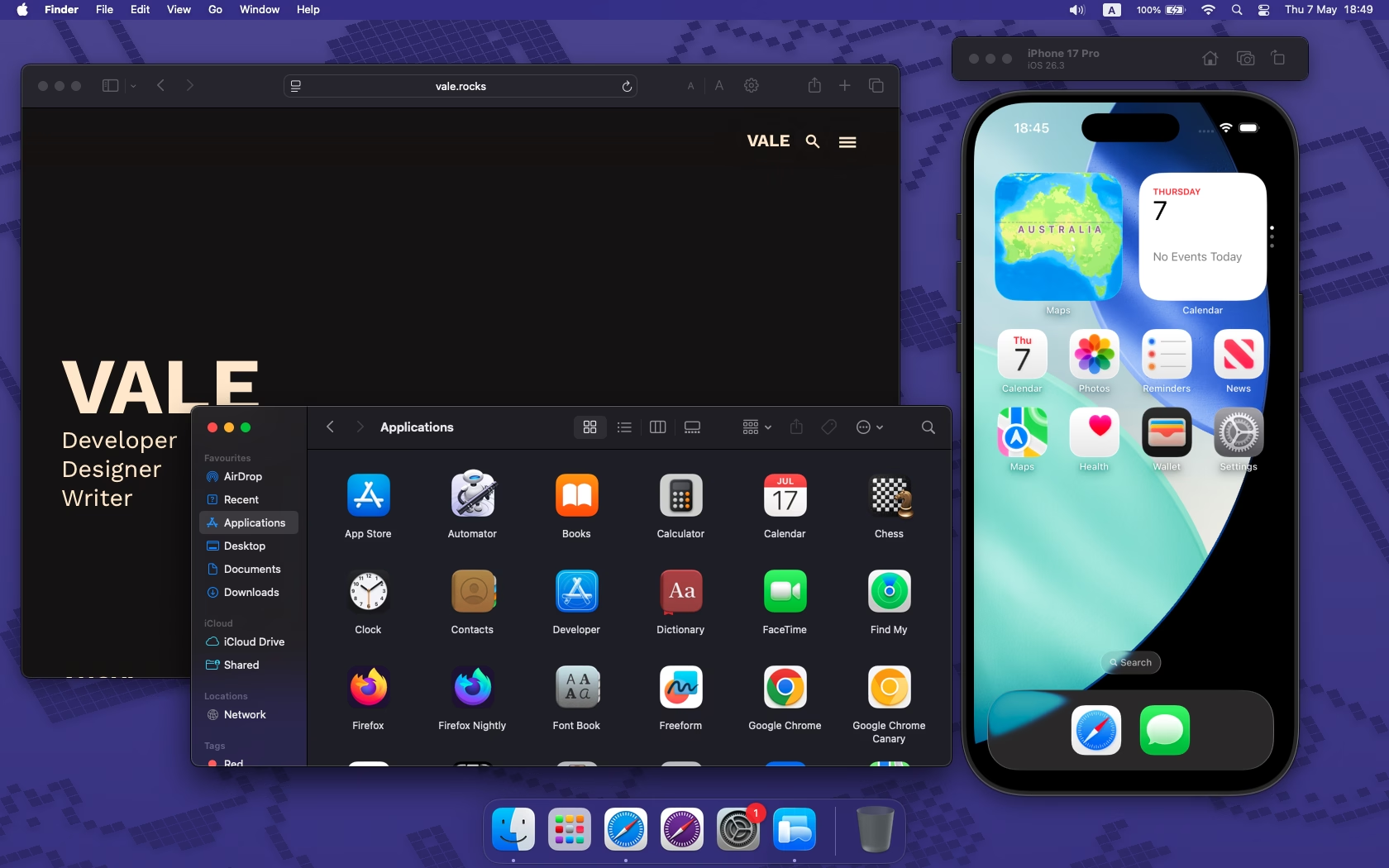
Apple has dropped support for the two Thunderbolt version of the 2020 MacBook Pro, so the latest officially supported macOS version is Sequoia, which I proceeded to install. The fans whined through the entire install process, and it presented some incredibly pretty colours in the form of graphics corruption. Some of it reminded me of old TV static, though that might have been my ageing monitor’s analogue input support. When the Apple loading screen began to arbitrarily cycle through different colours, I found it most mesmerising.
I can’t say I’m too enamoured with Liquid Glass from a general design and usability perspective (though I do find the refractive glass technically stunning), but I’ve admired from afar the design language introduced in Big Sur and refined through Monterey, Ventura, Sonoma, and finally Sequoia. A lovely balance of usability and class.
Fixing It
Despite not encountering the every-half-hour-crash issue myself, the logs did present themself when I first turned the MacBook on, so I inspected them. The relevant sections were:
panic(cpu 0 caller 0xfffffff0220736d4): userspace watchdog timeout: no successful checkins from com.apple.dfrd since load
service: com.apple.dfrd, no successful checkins since load (180 seconds ago)
service: com.apple.remoted, total successful checkins since load (180 seconds ago): 18, last successful checkin: 0 seconds ago
service: com.apple.bridgeaudiod, total successful checkins since load (180 seconds ago): 19, last successful checkin: 0 seconds ago
service: com.apple.logd, total successful checkins since load (180 seconds ago): 19, last successful checkin: 0 seconds ago
CORE 0 is the one that panicked. Check the full backtrace for details.
CORE 1: PC=0x00000001ae095c44, LR=0x00000001a961b558, FP=0x000000016d834490
Total cpu_usage: 13758820
Thread task pri cpu_usage
0xffffffe19a7ac600 watchdogd 97 0
0xffffffe19a919a00 bridgeaudiod 37 0
0xffffffe19a8b8200 watchdogd 31 0
0xffffffe19a12bc00 kernel_task 0 3808968
0xffffffe199ed8600 kernel_task 0 6486281

Panicked task 0xffffffe19a798000: 202 pages, 3 threads: pid 36: watchdogd
This is, believe it or not, good news. Good in that it can be dealt with. The dfrd mentioned stands for Device Function Relay Daemon, which is the software service that manages the Touch Bar. The failing checkins are being handled by Apple’s infamous T2 Security Chip, which is failing to make its connection. This could be three things:
- Ribbon cables are making a poor connection or are otherwise damaged.
- The T2 Security Chip is borked in some way, causing problems communicating.
- The Touch Bar and screen themselves are physically broken.
The easiest first approach was to reset the NVRAM (⌥ Option + ⌘ Command + P + R) and the System Management Controller (SMC) (^ Control + ⌥ Option + Shift + Power). This could have helped the components sort themselves out. It didn’t help, but it was worth a try.
Inspecting the display panel itself under a bright light, I could see no damage. The Touch Bar also flickers intermittently, indicating it might be alright from a hardware perspective and that its unfunctionality might just be a software issue. Experimenting further, the Touch Bar seemed to successfully and reliably trigger input when touched, despite not displaying anything. My working theory was that it was a firmware issue and that it’d be worth attempting to revive the Mac firmware. However, this is my only Mac, and a second is required to facilitate the ‘revival’ process.
I figured running Apple Diagnostics was worth a shot (D during start-up), and that gave me the note ‘There may be an issue with the display. Reference Code: VFD001’. Thanks Sherlock. Alas, such an error almost guarantees it is a hardware issue and killed my hopes of it being a software fix.
Given the effort to fix it, I’ve chosen to leave it in its current state. In the future, I’ll consider repairing it. Before buying the Mac, I pre-emptively purchased a set of the asinine screwdrivers Apple mandates to gain entry into their devices on account of hating consumer repairs. It was a reasonable $15 for a set including all the bits I needed and some extras that’ll prove useful.
Using the Touch Bar
Given that the MacBook’s Touch Bar is functional with the exception of failing to display anything, I refused to write it off entirely. That’s valuable keyboard real estate, and I happen to be one of the half-dozen people on this planet who actually rather likes the Touch Bar. To make it at all usable, I need to see what is on it.
Here are the methods I’m aware of and have used to display the Touch Bar’s display upon the screen, ordered from most to least preferential:
- Zoom
Enabled in System Settings > Accessibility > Zoom > ‘Touch Bar zoom’, it provides a zoomed-in view of the Touch Bar that spans the bottom of the display whenever the Touch Bar is touched. When not being touched, it fades completely from view. It also shows a cursor (or cursors) to indicate where it is being touched. You cannot interact with the Zoom display with your cursor. - Xcode
Accessed by opening Xcode, then Window > Touch Bar. This lets you simulate either the 1st-generation Touch Bar with Esc or the 2nd-generation Touch Bar without it. This works pretty nicely if you’ve always got Xcode open, or you’re happy with the overhead of leaving it open in the background. You can fully interact with the cursor. - Switch Control
Enabled in System Settings > Accessibility > Switch Control. Toggle on Switch Control, then select ‘System’ and ‘Toggle Touch Bar’. The Touch Bar then appears at the bottom of the screen, and you can interact with it via the cursor. You can drag the Switch Control panel to the very edge of your screen to hide it, and you can also fiddle with the settings to lower the panel’s opacity like it isn’t even there. This approach is my least favourite, as one must deal with the Switch Control panel, and the panel displaying the Touch Bar is immovable and always anchored to the bottom of the display.
Unfortunately, and rather annoyingly, a lot of older solutions for simulating or displaying the Touch Bar are non-functional in newer macOS versions (roughly Catalina onwards) due to private hooks being deleted.
On my Touch Bar, I’ve set up the AirPlay button to the rightmost location, next to the Touch ID/power button, so I know that I can always press that location and then press the relevant display on the left-hand side, just slightly in from the edge where the cancel button is. It isn’t optimal, but it is low risk and allows me to connect the Mac to a wireless display blind with a bit of luck and without too much faffing with custom software.
Purpose
I needed this Mac mainly as a Safari testing machine. It isn’t an Apple Silicon model, so its days are already numbered, but it’ll be useful for compiling some software for macOS for a brief little while. It will also run some simulators, let me test VoiceOver, allow me to open, edit, and inspect documents from the iWork suite, and facilitate the creation of Liquid Glass icons in Icon Composer.
It is a thoroughly imperfect machine. Once it has run its course, I’ll consider chucking Linux on it, keeping it around to deal with old Apple devices, or selling it for parts. No, it isn’t a great computer, but for just $25 I can’t argue with it. That is cheaper than a single month of a subscription to most browser testing services.