- Apple Magic Keyboard & Magic Mouse Review
Both the Magic Keyboard and Magic Mouse look very cohesive with the rest of Apple’s devices. The curves and gloss of the Magic Mouse are a tad deviation, but not garishly so. They both have that clean, considered and premium visual design that Apple is so known for. They both feel lovely.
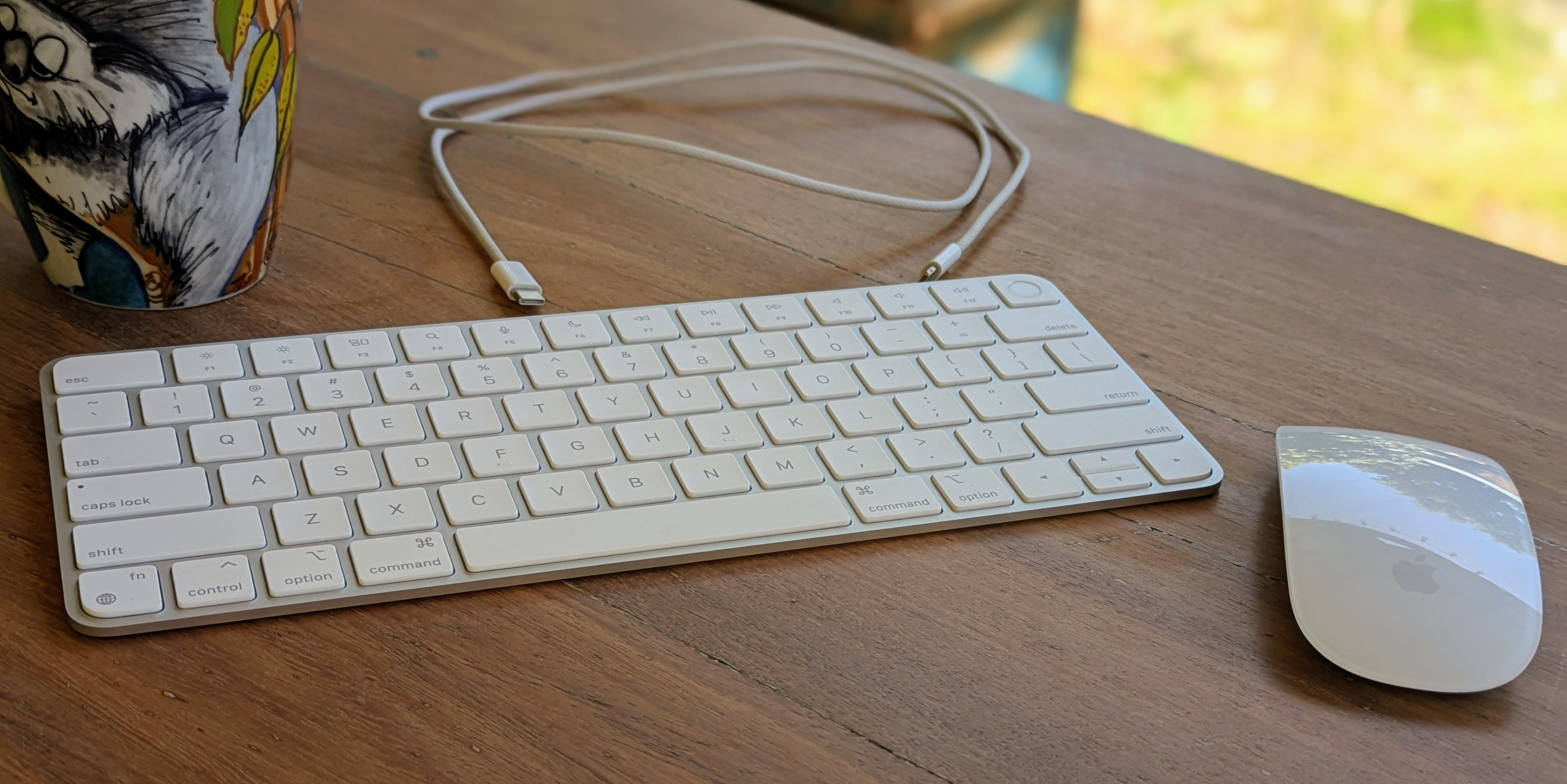
The Magic Keyboard is perfectly cromulent and is taken straight from the MacBook. If you like the keyboards from recent MacBooks, then you’ll like the Magic Keyboard. I personally don’t see the gain from a wireless desktop keyboard. A battery just seems like an added cost and point of failure where a wire would do nobody any harm in a static setup. I prefer more substantial, mechanical keyboards if the form factor permits. Thin is fine on a MacBook for slimness, but a dedicated keyboard has no such limitation. This is purely preference, however. The real gain is the convenient Touch ID power button for Apple silicon devices. It is a shame that there are no other Touch ID solutions beyond this keyboard.
I’m a big fan of the Magic Mouse’s gesture-based Multi-Touch surface, even if just for the convenience of horizontal scrolling. macOS is very much designed for gesture interactions using the trackpad, so the ability to take advantage of that with a mouse is a welcome feature. I’ve previously really enjoyed Microsoft’s Arc Touch Mouse, though it didn’t have the same software accompaniment.
It is a tad heavy and doesn’t glide super well, which is a shame, though I don’t mind the general ergonomics of it. I find myself pushing it about with my thumb and pinky with my other fingers free to gesture, rather than gripping it as I and most others would a more typical mouse.
The Magic Mouse’s underside-situated charging port makes it completely inoperable while charging. The battery life is good enough that you needn’t charge it often, but if you’re caught out, then you’re temporarily stuck. It also means that once the battery can no longer hold a reasonable charge, the mouse will be useless. Replacing it requires prying the mouse apart and fighting against glue, so it isn’t particularly user-replaceable either.
The vane form over function is silly, especially when a more reasonable top placement wouldn’t have looked markedly worse.
Overall, they’re nice devices. I personally wouldn’t opt to purchase them, as they don’t align with what I want from a keyboard and mouse, but for the right person wanting an all-Apple setup, they’re a reasonable choice.